Animate a still with a simple wave
Grok Imagine
These tool workflows are drafts based on official documentation. We have not yet generated and reviewed a result for each recipe. They are not verified tutorials or a promise of matching results.
Official sources checked: · Hands-on reproduction: pending
Before you start
Requires access to Grok Imagine. Sign in and check the video controls and your current allowance first; subscriptions or extra credits may be required. Web and API access are not interchangeable.
Free for commercial use · Credit Swim In AIPacks require a free Swimmer account.
The workflow
- Choose one actor and download a front-view image. Single images need no Swimmer account; a starter pack needs a free account. Keep the supplied credit information.
- Open Imagine and add the actor image as the starting image for a video. The exact signed-in controls still need a hands-on check for this draft; follow the current app when labels differ.
- Where a motion prompt is available, use the prompt below. Choose one short clip, confirm any charge and generate. Do not treat API options as options guaranteed in the web app.
- Compare the result with the reference: face, hair, clothing and hands. Save the original output only when it fits your scene, and add the required Swim In AI credit. A prompt cannot guarantee identity consistency.
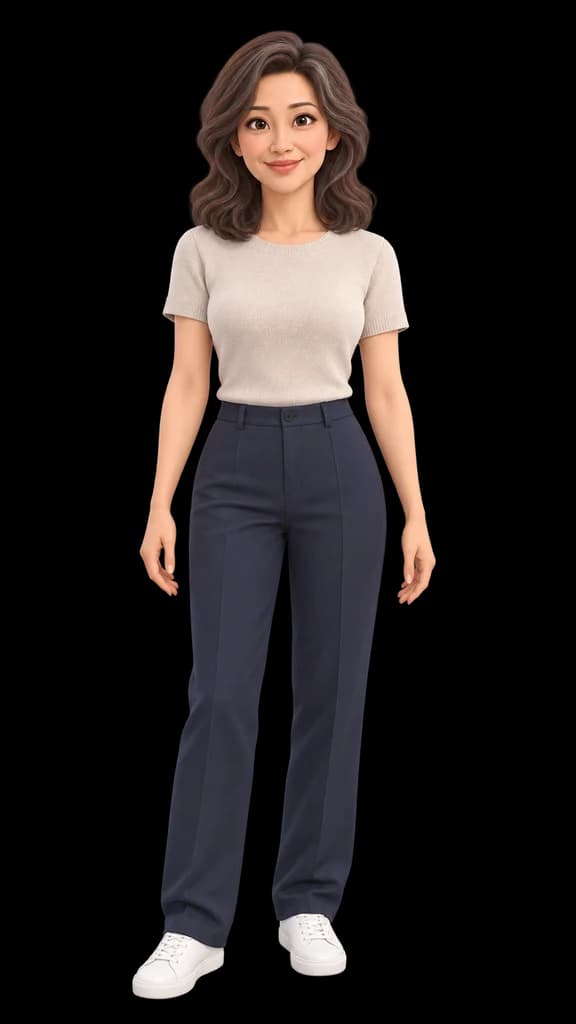
The animated character gives one small friendly wave, then lowers the hand. Gentle breathing. The camera is locked off. Keep the original framing, face, hairstyle, clothing and animation style. One continuous shot.
Check the result
Keep one action and a fixed camera. Check the face, hands and any generated audio; a successful request alone does not mean the result is usable.
No verified output for this draft yet. We will add one only after a recorded hands-on run.
Opens another site. Its account, usage limits and charges are separate from Swimmer.